 SmartCart
Cart drawer for Shopify
A cart that helps shoppers add a little more.
SmartCart replaces your cart with a fast slide-out drawer. Rewards, add-ons and discount codes are all in one place, so shoppers reach free shipping and add more to their order.
- Works with any theme
- No code needed
- Every text and colour editable
See it in action
Real screens from a live demo store
In the cart
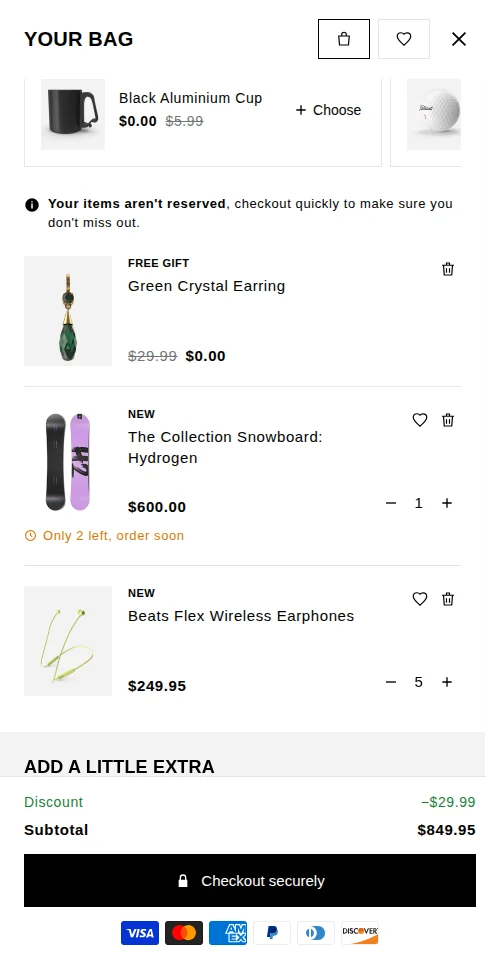
Rewards and gifts right in the drawer
Shoppers see their free gift at $0.00, pick another gift with one tap and get a low-stock nudge before they check out.
- Free gift lines with the original price struck through
- “Only 2 left, order soon” on almost sold-out items
- Discount codes and savings shown above the subtotal
For merchants
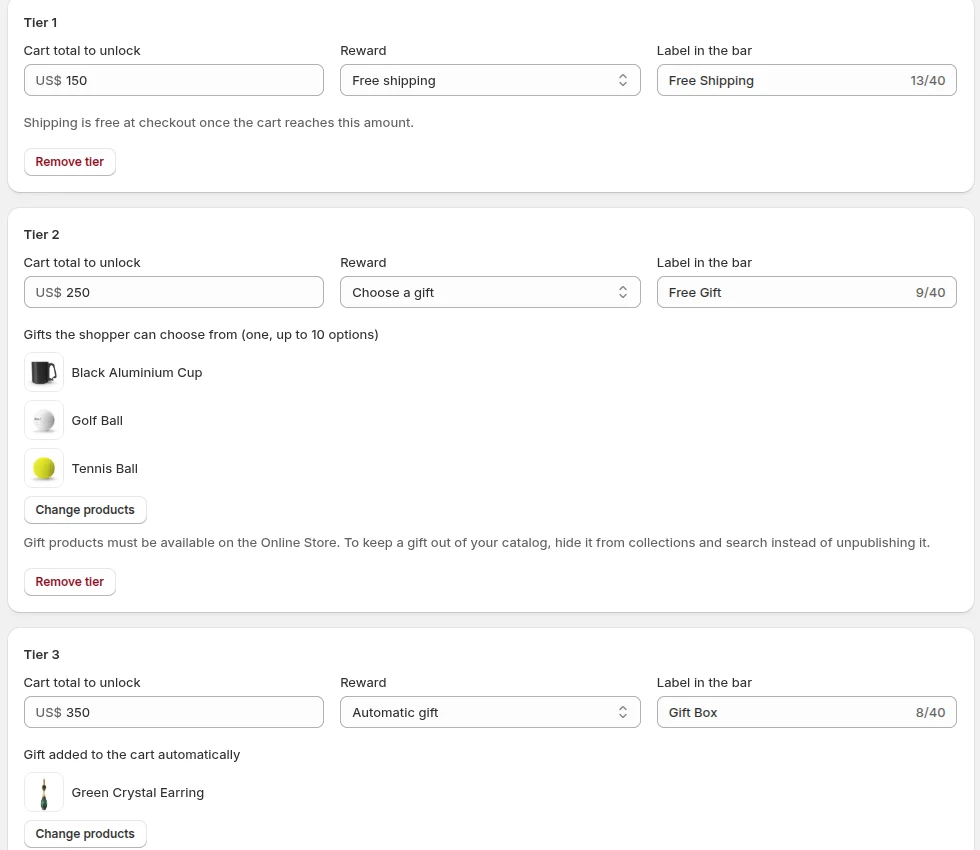
Choose your gift products in a few clicks
Set up to three reward tiers on the Rewards page: free shipping, a gift the shopper chooses and a gift added automatically.
- Pick gift products with Shopify’s product picker
- Set the cart amount and the label for each tier
- One click creates the discount that makes gifts free
At checkout
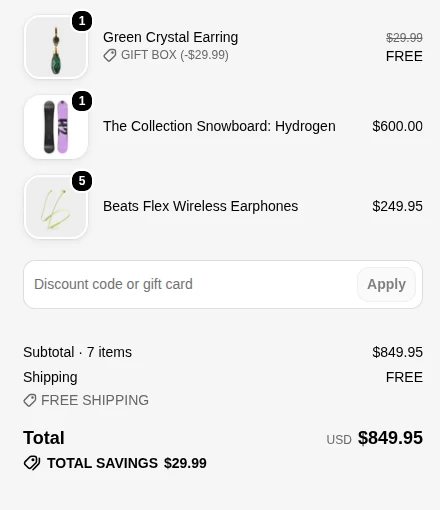
Free gifts and shipping carry through to checkout
Rewards are applied by Shopify’s own checkout, so shoppers see exactly what they unlocked before they pay.
- Gifts show as FREE with their original price
- Free shipping applied once the cart reaches the tier
- Works together with your discount codes
In your admin
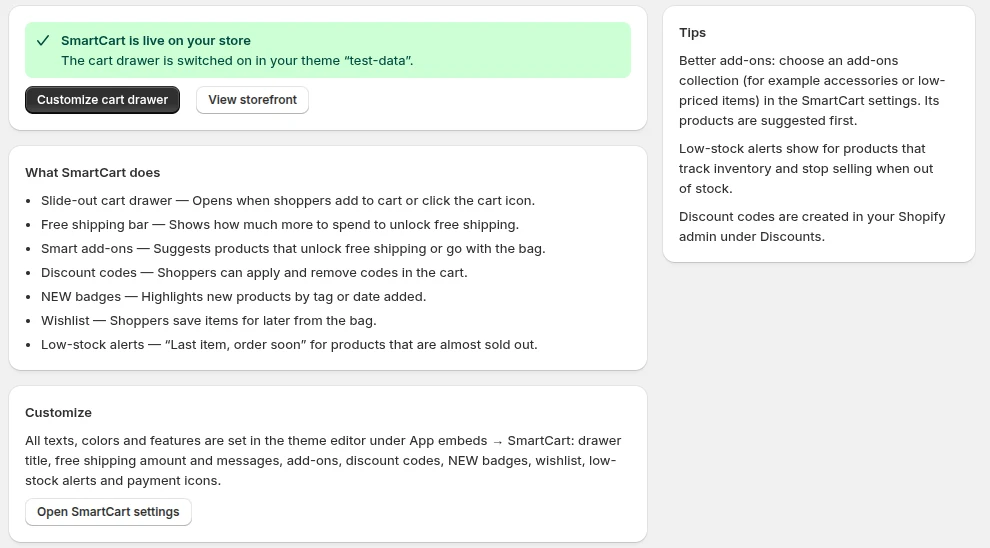
Know it’s live at a glance
The SmartCart home page tells you whether the drawer is switched on in your theme and takes you straight to its settings.
- Live or off status for your current theme
- One click to enable or customise the drawer
- Tips for better add-ons and alerts
Features
Everything in one cart drawer
Each feature can be switched on or off, and all texts and colours can be changed in your theme editor.
Slide-out cart drawer
Opens when shoppers add to cart or tap the cart icon, so they never leave the page.
Tiered rewards
Up to three goals on one progress bar: free shipping, a gift the shopper chooses and an automatic gift.
Smart add-ons
Suggests products that unlock the next reward or go with what is already in the bag.
Discount codes
Shoppers apply and remove codes right in the cart and see what they saved.
Wishlist
Save items for later from the bag and move them back with one tap.
Low-stock alerts
“Only 2 left, order soon” on items that are almost sold out, without showing exact stock.
How it works
Live in a few minutes
Install SmartCart
Add the app from the Shopify App Store. No code or theme edits needed.
Turn it on in your theme
One click opens the theme editor with the SmartCart app embed switched on.
Set your rewards
Choose your free-shipping amount, gifts and texts. Every setting is yours to change.
Performance & privacy
Built to keep your store fast
Small scripts
The drawer loads only the features you switch on.
Works with your theme
Added as a theme app embed. Your theme code stays untouched.
No customer data stored
Wishlists stay in the shopper’s browser. Read our privacy policy.
Turn your cart into your best salesperson.
Install SmartCart from the Shopify App Store, then open it from your Shopify admin.